How to choose a retail POS system in Canada
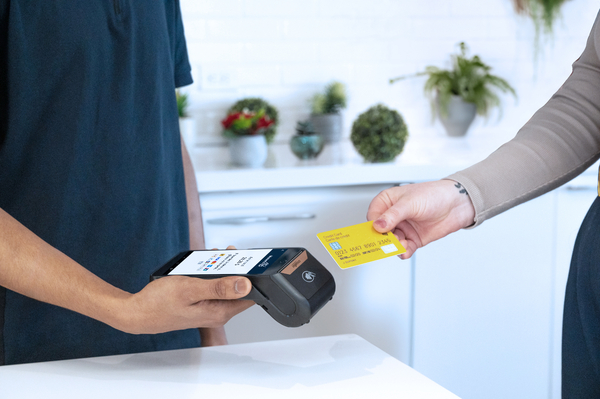
Customer making a card payment using a portable POS terminal

Canadian retailers can choose a retail POS system more clearly by assessing checkout flow, payment needs, inventory control, omnichannel sync, cost and support.


Key takeaways

  1. The best retail POS system in Canada fits your checkout flow, payment habits and daily store routines before it adds extra features.
  2. Canadian retailers should test tax setup, debit acceptance, returns and omnichannel stock sync with live tasks before choosing a system.
  3. Total cost and support quality shape long-term usefulness just as much as hardware and software features do.

A retail POS system in Canada should fit how you sell, how you take payments and how your stock moves.

Choosing a retail POS often starts with features, but the better test is how the system handles checkout, Canadian debit habits and shared inventory across store and online sales. Statistics Canada estimated retail ecommerce sales at $3.9 billion in June 2024. That scale shows why even a single-location shop needs a setup that cleanly connects in-store and online activity. A payment terminal and a stock screen are no longer enough on their own.

If you run a Canadian shop, the best retail POS system will support payment acceptance, stock control, reporting and omnichannel selling without forcing staff to take detours. It should match how your customers pay at the counter and how your team handles returns, pickup orders and end-of-day totals. You’re looking for a system that makes checkout feel steady for customers and gives you numbers you can trust when the day ends. That is what separates a useful retail POS system from a feature catalogue.

The right retail POS matches store operations

Choose a retail POS that aligns with how your store serves customers.


The right setup fits your sales floor, return process and checkout pace. It also fits how staff search for items and complete a sale. If daily work feels awkward, the feature list will not be fixed.

A gift shop with short lines needs quick item lookup and fast tap acceptance, while a footwear store needs size and colour variants at hand before staff takes payment. Your test should start with a normal sales day, not a demo screen. Ring up a return, apply a discount, look up a missing SKU and close the till at day's end. If those steps take extra screens or force manual notes, the retail POS system will slow staff every shift and make training harder than it needs to be.

Retail employee standing in store

Canadian payment rules shape retail POS choices

A retail POS system in Canada must be designed to align with Canadian payment habits and tax rules from the start. It should handle Interac debit smoothly, apply the right tax settings and support clear receipts. It also needs payment flows that feel familiar to shoppers. That matters every time a line starts to build.

The Bank of Canada found that cash accounted for 18 percent of point-of-sale transactions in 2025, meaning most counter sales already depend on electronic payment systems working cleanly. Test GST, HST and PST settings before you sign and check that returns can go back to the original payment type without extra steps. If you sell in Quebec, confirm French prompts and bilingual receipts are available. A strong system will also keep debit acceptance simple during busy periods, so staff do not have to explain workarounds at the PIN pad.

Your current software stack limits POS flexibility

Your POS will only be as flexible as the systems around it. A good fit shares clean data with accounting, ecommerce and customer records. A weak fit creates double entry and messy reconciliations. Those issues show up after launch, not during the sales call.

You can spot this early with a short workflow review. Check how an online order enters the POS, how daily totals move into accounting and how a return appears in reporting. If staff still retype customer names, tax values or order numbers, the connection is thin even if the vendor calls it an integration. A retail POS system should reduce manual correction, because that is where small stores lose time they cannot spare.

What you should check

What a strong answer sounds like

Your online orders create one shared sales record.

The order, payment and customer note appear in the POS without re-entry.

Your day-end totals move cleanly into accounting.

Sales, refunds and tax amounts are posted in a format your bookkeeper can use.

Your customer details remain associated with each purchase.

Staff can find the customer at checkout without opening another system.

Your returns work across store and online channels.

The original sale can be found at the till and adjusted with a clear audit trail.

Your stock count lives in one place.

Each sale updates the same quantity, so you do not need to fix counts after closing.


Inventory accuracy keeps daily retail work moving

Inventory accuracy matters because the POS is often your live record of what is currently sellable. A strong system updates stock as sales, returns and exchanges happen. It also tracks variants cleanly. That keeps the sales floor calmer and your reports more useful.

Picture a clothing boutique with one style in four sizes and three colours. If the POS treats each variation loosely, staff will spend time checking the back room after the screen says one unit is left. You should test purchase orders, transfers and returns before choosing a system, even if your store is small. A retail POS system that handles variants and stock adjustments cleanly helps you trust what the till says, so customers get clearer answers and staff spend less time on manual stock checks.

 Retail employee using a POS system at a checkout counter in a store

Omnichannel sync keeps stock aligned across channels

Omnichannel retail only works when your POS, online store and payment records share the same truth.


Stock counts, order status and customer history need to align across all channels. If they do not, the staff will spend their day correcting orders. Customers will notice that gap long before you do.

A simple test is to place an online order for store pickup, cancel it, then process a return at the counter. The best setups update the same item count and keep the payment trail attached to the order. Moneris Total Commerce fits this kind of daily workflow when the catalogue, checkout and stock record stay connected instead of sitting in separate tools. That matters for a small Canadian shop because omnichannel does not mean a complex retail setup; it means your online and in-store sales stop arguing with each other.

Total ownership costs appear after the hardware quote

Total cost comes from monthly software fees, payment processing, hardware replacement and add-ons you need after launch. The cheapest quote rarely reflects the full operating cost. A good buying process counts the whole setup. That includes what staff will need six months after go-live.

You should ask what happens when you add another register, open a pop-up or need barcode scanners and receipt printers replaced. Some systems look affordable until you add ecommerce sync, advanced reporting or extra user permissions. Ask for a sample monthly bill based on your current transaction volume and device count. If the answer remains vague, you do not yet have a clear picture of costs. A retail POS system should make planning easier, and clear pricing is part of that everyday practicality.

Support quality matters long after your POS launch

Support matters because POS issues show up during opening, closing and busy selling hours, not during a calm buying review. You need help that understands payments, hardware and store workflows. Good support shortens interruption time. It also gives staff more confidence when something needs a reset.

Test support before you buy by asking a detailed question about refunds, printer setup or tax configuration. A useful answer will explain the steps clearly and show that the team understands retail operations rather than reading from a script. You should also check service hours, replacement options for damaged hardware and what happens when internet service drops. If your store relies on one or two key devices, support quality becomes part of the product because staff need practical help, not generic ticket updates. 

Common retail POS buying mistakes in Canada

Most POS buying mistakes occur when owners view the system as a device rather than a retail workflow. The better choice is the one that keeps checkout, stock and reporting aligned every day. That is how you avoid manual fixes later. A disciplined review will tell you more than a long feature sheet ever will.

  • Choosing hardware appearance instead of checkout flow.
  •  Ignoring Canadian tax and debit setup until launch week.
  • Assuming integrations work without testing daily tasks.
  • Accepting separate stock counts for store and online sales.
  • Comparing monthly fees without pricing the full setup.
You can keep the process grounded with a short checklist built around live tasks. Run a sale, a return, an online pickup and a day-end close before you commit. That broader test is where Moneris Total Commerce fits into the conversation, because connected retail depends on more than one terminal on the counter. If the system handles the basics cleanly, you will feel that quality in staff training, customer checkout and the numbers you review each night.

FAQs

Author Profile

Moneris Team

Moneris Team

Moneris is a leading provider of payment processing solutions in Canada. Our blog is your go-to resource for insights into the ever-evolving world of payments. We cover everything from the latest industry trends and technologies to practical advice for businesses of all sizes. Our blog's mission is to spotlight small businesses and provide resources that help them succeed in today's economy. Blog articles are written by members of Moneris' in-house marketing team with support from internal product and industry experts.

Recommended Articles