


Surcharging 101: what it is and what to expect
Learn how credit surcharge works on Moneris Go, which cards qualify, the 2.4 per cent limit and what to do before you turn it on.
 Calculating time...

Credit surcharge is an optional setting on Moneris Go standalone terminals, off by default
You set one rate between 0.01 per cent and 2.4 per cent, and your customer sees it before paying
It does not apply to debit, prepaid or gift cards, and it is not available in Quebec
Refunds return the surcharge in full or in proportion to the amount refunded
Register with Moneris and notify Mastercard at least 30 days before you start
Credit surcharge is now an optional setting on Moneris Go standalone terminals. It's off by default, and whether to use it is your decision. A surcharge is a fee you add when a customer pays with an eligible credit card. It suits some businesses more than others. Here's what your business should consider to determine if it's right for you.
A surcharge helps you recover part of what it costs to accept eligible credit cards
Your customers see it before they pay, and some might not welcome it
Your eligibility, your customer mix and your numbers all matter
Check your statements to see what you pay to accept credit cards. Your surcharge must not be higher than 2.4 per cent or your actual cost of accepting the card, whichever is lower.
Then look at how your customers pay. A surcharge only applies to eligible credit cards. It doesn't apply to Interac debit, prepaid or gift cards. If most of your sales are on debit or cash, the impact will be small.
Quebec: credit surcharge isn't available to merchants in Quebec
Visa Small Business Interchange Program: if your business is in this program, you can't surcharge. Turning it on removes you from the program, so weigh which matters more to your business
Convenience or service fee programs: program rules might not allow you to combine them with a surcharge
Registration: notify Moneris at least 30 days before you start and notify Mastercard of your intent. When you turn the setting on, you're confirming you've met the card brand requirements
A surcharge changes the final price, and customers notice. A few questions help you gauge the fit:
Do your customers compare prices before they buy?
Do you rely on regulars who pay by credit card?
Would your customers be more likely to switch to debit or cash?
Would your team be comfortable explaining the charge at the till?
Customers must be able to cancel or pay another way once they see the surcharge. Even with clear disclosure, some feel surprised or question your pricing. Think about how this affects the relationships you've built.
You also have another option. Discounts for different payment methods are allowed and give customers a reason to choose a lower-cost way to pay.
Tell people early. Post the surcharge at your entrance and at the point of sale. Consider adding it to your website and social channels too
Brief your team. Give them a simple line to use: "A [X] per cent surcharge applies to eligible credit card payments. You'll see it on the screen before you pay, and you are free to choose another way to pay."
Know how it shows up. Your terminal displays the amount before payment and prints it on the receipt as its own line
Plan for refunds. A refund returns the surcharge in full or in proportion to the amount refunded
If you decide to go ahead, here is what to expect on your terminal.
Credit surcharge is off by default. You turn it on in your terminal settings
You set one percentage between 0.01 per cent and 2.4 per cent. Flat-dollar fees are not supported
The same rate applies to every eligible card brand
Your terminal checks each card to confirm it is eligible
Your customer sees the surcharge amount before paying and chooses to accept or cancel
The terminal calculates the surcharge on the final total, including taxes and tips. On a $100.00 purchase at 2.4 per cent, the surcharge is $2.40 and your customer pays $102.40.
Turning on the setting does not guarantee a surcharge on every credit card sale. If a card is not eligible, the terminal processes the sale without one.
Credit surcharge supports eligible credit cards from Visa, Mastercard, American Express, Discover, JCB and UnionPay.
It does not apply to:
Interac debit and other debit cards
Prepaid cards
Gift cards
Manually keyed, phone or mail orders where the cardholder is not present
Credit surcharge works on purchases and pre-authorizations. If you complete a pre-authorization for a different amount, the terminal recalculates the surcharge on the final amount. A $100 pre-authorization at 2 per cent completed for $150 carries a $3.00 surcharge. The terminal does not add a second surcharge on top of the first.
What happens with refunds
A full refund returns the full surcharge. A partial refund returns a prorated share. Refunding $50 of a $100 purchase at 2.4 per cent returns $1.20 of the surcharge. A refund never creates a new surcharge.
Review the [Moneris credit surcharge FAQ and program addendum]
Submit your registration to Moneris at least 30 days before you plan to start
Notify Mastercard of your intent
On your terminal, open transaction settings and turn on credit surcharge
Enter your rate between 0.01 per cent and 2.4 per cent
Review the compliance guidance on screen and save
Wait for the settings to sync before you process transactions
You are responsible for confirming your business meets provincial, card brand and program requirements before you enable the setting. Questions about setup or eligibility? Contact Moneris Support.

Learn how credit surcharge works on Moneris Go, which cards qualify, the 2.4 per cent limit and what to do before you turn it on.
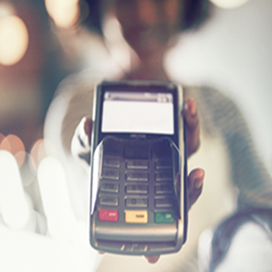
Discover what payment processing is with Moneris. Learn how it empowers businesses and enhances customer transactions. Read more for insights.

Exclusive commentary from the Index of Consumer Spending presents how Canadians chose to spend leading up to and during the holiday season as interest rates changed in the final quarter of 2024. Read on to find out more.

This year’s data from Moneris shows how Canadians shopped smarter, seized the moment, and made their holiday dollars count during Black Friday and Cyber Monday