

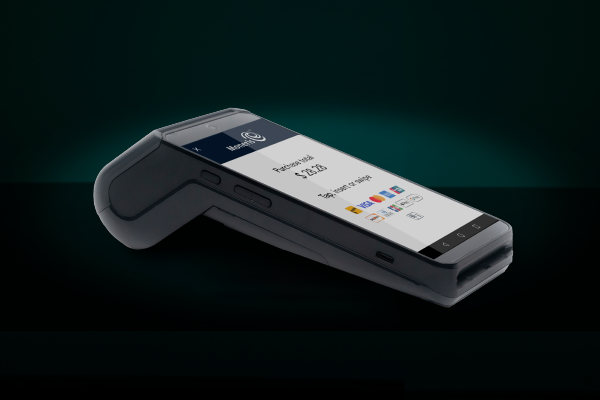
Debit machines for small businesses in Canada
Compare debit machine options for Canadian small businesses and get insight into terminal costs, Interac Debit fees and renting or buying options.
 Calculating time...
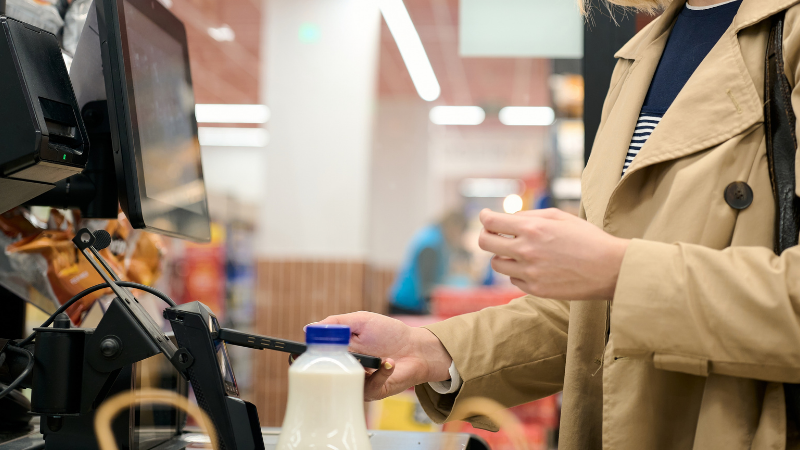
Busy stores put pressure on the checkout. You need that line of customers to move, be happy, and want to return. As in-store shopping continues to rebound, retailers are seeing higher foot traffic and more complex transactions. That means less room for error. If your checkout process is slow or confusing, you risk losing customers.
According to Worldmetrics’ 2026 Bad Customer Experience Statistics Report, 83 per cent of customers stop doing business with a company after a bad experience. The same analysis shows that most unhappy customers never complain, with only one out of 26 choosing to share feedback directly. This means dissatisfaction often goes unnoticed and unresolved.
These numbers show how quickly a slow checkout can result in lost revenue. During peak business hours, every second counts, especially if you are a small business. Long queues and lagging systems frustrate shoppers and overwhelm staff. You may need more employees, but you certainly need fewer barriers.
Improving checkout speed is about removing friction. A responsive point-of-sale system helps your team serve more customers in less time. A clean interface reduces errors. Smarter tools make it easier to find products, apply discounts, and complete sales.
If you want to keep customers coming back, start by making checkout faster and easier.
1. Speed matters
Slow systems create long queues. Customers notice. So do the staff.
Choose a POS system with fast load times. Look for one that responds in milliseconds, not seconds. This helps your team stay focused and reduces wait times. If your current system lags or freezes, it may be time to upgrade.
2. Use screen space wisely
A cluttered interface slows down your team. It forces them to scroll, tap, and search for basic functions.
A clean layout helps cashiers work faster. Compact product cards let them see more items at once. On tablets, a full-height cart view makes it easier to confirm all items before payment. Remove unnecessary headers and labels to make the process faster.
3. Make item selection simple
Adding products to the cart should take one tap. No extra screens. No confirmation steps.
If your POS asks for quantity or discount confirmation every time, you are wasting time. Most transactions do not need those steps.
For products with variants, use a clear selector. Show size, colour, quantity on hand, and pricing. This helps staff answer questions quickly and accurately.
4. Use a numeric keypad
Switching between keyboards to enter prices or quantities slows down transactions. It also increases errors.
A dedicated numeric keypad solves this problem. It is faster and easier to use. Staff can enter numbers without switching views or hunting for keys. This is especially useful on mobile devices and tablets.
5. Listen to your team
Your staff use the system every day. They know what works and what doesn’t.
Ask for feedback. What slows them down? What features do they use most? What do they ignore?
Use this input to guide your updates. A POS system should support your team, not get in their way.
Retailers who streamline the checkout experience see results. Faster transactions mean shorter queues. That improves customer satisfaction and increases repeat visits.
PwC’s 2025 Customer Experience Survey found that 29 per cent of consumers stopped buying from a brand due to poor in-person or digital experiences. Checkout performance plays a direct role in how customers judge those interactions. Checkout performance plays a direct role in how customers judge those interactions.
It also reduces stress for staff. When the system works smoothly, they can focus on service, not troubleshooting.
If you are a small business considering a new POS system, focus on these features:
Fast load times
Clean, intuitive interface
One-tap item selection
Variant visibility (size, colour, stock)
Dedicated numeric keypad
Cart-level discounting
Responsive support
Avoid systems that require multiple taps for basic tasks. Avoid cluttered screens and slow performance.
Checkout is not just a transaction. It is part of the customer experience. A smooth process leaves a good impression and delivers a positive experience.
You do not need a complex system. You need one that works quickly and clearly.
Want to see these ideas in action?
Moneris Go Retail includes features designed to make checkout faster and easier. It is built with input from Canadian business owners and tested in real retail environments. Check it out!

Compare debit machine options for Canadian small businesses and get insight into terminal costs, Interac Debit fees and renting or buying options.

How to choose a restaurant POS system in Canada
A practical guide for Canadian restaurant owners choosing a POS system based on service flow, debit acceptance, online ordering, hardware fit, cost and multi-location needs.
A step-by-step guide for Canadian businesses planning a payment processor switch across terminals, online checkout, stored cards and launch timing.

Discover how the Moneris MCP server enables secure, standardized connections between AI agents and payment systems.