


What Canadian small businesses actually pay for a POS system

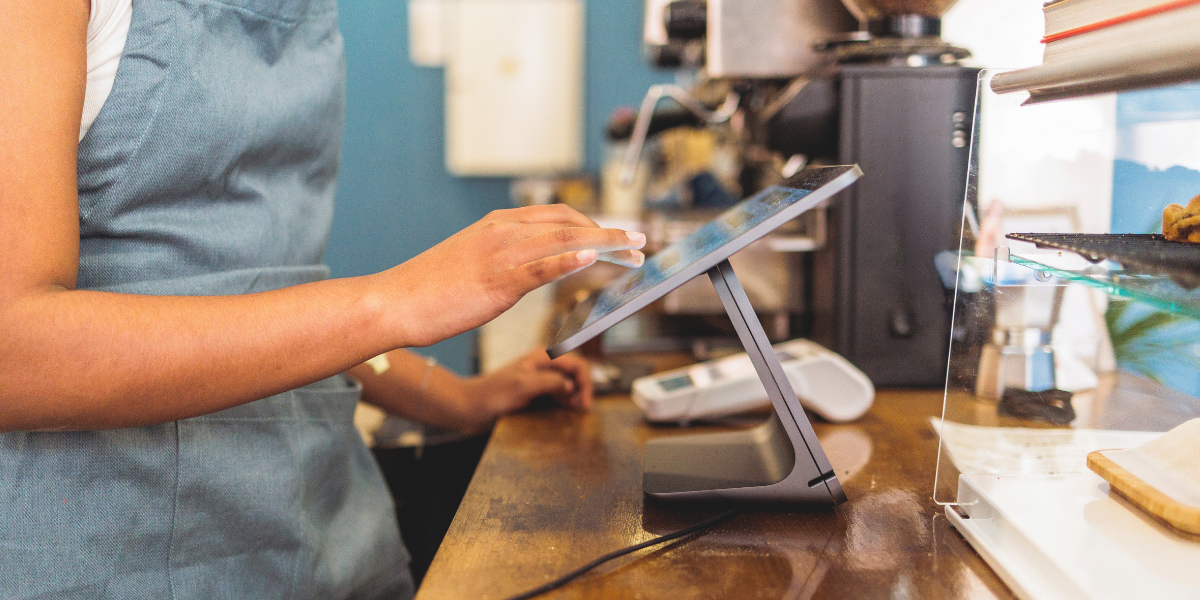
Small business owner in a retail workspace, illustrating the operational costs and technology considerations of running a business.

Learn how Canadian small businesses can evaluate POS hardware, software, payment processing, setup and support costs to compare solutions more effectively.

Key takeaways

  1. A useful POS budget separates hardware, software, payment processing, setup and support instead of forcing one blended number.

  2. Your total POS cost depends on your hardware requirements, software needs, payment volume, setup requirements and support expectations.

  3. The strongest quotes show one-time and recurring charges clearly so you can compare systems on day-to-day use.

There is no single average point-of-sale (POS) system cost for Canadian businesses because every business uses its POS sale system differently. A mobile vendor may need only a portable payment terminal, while a restaurant may require multiple terminals, staff permissions and advanced software features. That's why comparing hardware, software, payment processing, setup and support separately gives a more accurate picture of total cost.

Most online price answers still roll everything into one vague number. Small businesses account for approximately 98 per cent of employer businesses in Canada, making POS pricing an important consideration for a significant portion of Canadian businesses. If you run a shop, salon, café or service business, the cost that matters is the one you’ll still recognize after the first month of sales. You’re not just pricing a device on the counter. You’re pricing how staff ring up sales, how customers tap or insert cards and how easily you can read sales activity after close. That is why the average cost of a POS system only becomes useful when each charge stays in its own bucket. Once the quote is split that way, the monthly bill stops feeling fuzzy.

Understanding the five costs of a POS system

Most POS systems include five cost categories: hardware, software, payment processing, setup and ongoing support. Understanding each cost separately makes it easier to compare providers and avoid unexpected expenses later.

A bakery with one till can buy or rent a terminal, pay a monthly software fee and still face a very different total bill from a boutique that needs barcode scanning and stock lookup. The physical kit is one cost, although some providers offer hardware through monthly rental plans rather than an upfront purchase. For example, a rented payment terminal can become part of a business's recurring monthly POS costs. The software licence is another. Card processing sits on every sale and support or setup can appear at the start or recur each month.


Cost area

What it usually covers

How it usually appears on your bill

Hardware

The devices staff and customers use at checkout.

You’ll usually see a one-time purchase or rental charge.

Software

The POS app, reporting tools and user access.

You’ll usually see a recurring monthly subscription.

Processing

The cost of accepting debit and credit card payments.

You’ll usually see charges tied to each transaction.

Setup

Installation, menu or catalogue build and staff training.

You’ll usually see this as an upfront project charge.

Support

Help after launch, replacements and extra service coverage.

You’ll see this included, added monthly or billed as needed.


If you keep these lines separate, quotes become easier to compare.


You can see which costs start once and which continue. You can also spot when a low monthly fee is offset by a larger hardware package. It also keeps setup work from being confused with the cost of accepting cards. That is the only honest way to answer how much a POS system costs.

Hardware is usually the largest upfront POS expense

Hardware is the main upfront POS cost because it covers the physical tools your team uses every day. A basic mobile setup will cost far less than a fixed counter station. A single device keeps the entry price lower. A multi-piece checkout setup raises the starting bill quickly.

A market stall can run on one wireless terminal and nothing else. A clothing store often adds a stand, scanner, receipt printer and cash drawer. A quick-service restaurant counter often needs a customer-facing screen so guests can review and tap without staff turning the device around. Each extra piece solves a workflow problem, but it also adds purchase or rental cost.

One way to evaluate hardware costs is to compare entry-level mobile payment solutions with more advanced countertop or multi-device setups. Moneris Go Terminal is an example of a compact payment solution designed for businesses looking for mobility and simplicity. If you compare that setup with a fuller counter system, you’ll notice the price gap comes from peripherals and checkout style. It also lets you check if a printer stand, scanner or cash drawer is optional at launch. Hardware is the part of the quote you’ll feel first.


Customer completes a card payment using a wireless POS terminal at a small retail bakery checkout counter.

How different businesses can expect different POS costs

A market vendor, café and multi-location retailer all use POS systems differently, which affects their costs. Hardware requirements, software subscriptions and payment processing volumes can vary significantly depending on how and where payments are accepted.


Business type

Typical needs

Mobile business

One portable terminal and basic reporting

Independent retailer

Terminal, receipt printer, cash drawer and inventory features

Restaurant

Multiple terminals, staff permissions and advanced order management

Multi-location business

Additional devices, users and centralized reporting


Software subscriptions drive ongoing POS costs

For many businesses, software is the primary recurring POS expense. Monthly subscriptions often include reporting, user management, receipts, system updates and other operational tools. This charge is separate from the terminal itself. It usually repeats every month. It also rises as your setup becomes more complex.

A solo hair studio might only need appointment-linked checkout, basic item sales and end-of-day reporting. A café with two counters often needs staff permissions, modifiers, kitchen routing and stronger sales breakdowns. Those functions live in the software plan, not in the card reader. If you add a second register or another location, the subscription usually rises again.

This is the part of the quote that answers the prompt about POS system monthly cost in Canada. You’re usually paying for access to the platform, updates and features that shape the checkout flow. Some providers include basic support in that fee while others place support in a separate line. If a quote skips that detail, you can’t judge the true monthly total yet. You should also check how many users, registers or locations are included before the plan steps up.

Payment processing costs are separate from POS software

Payment processing is often overlooked when comparing POS systems. Unlike hardware purchases or software subscriptions, these costs are tied directly to the transactions your business accepts. They continue with each sale you accept. They also shift with card mix and checkout method. That makes them important to model separately from monthly POS fees.

If most of your sales run through debit, your blended payment cost will look different from a shop that sees more premium credit cards. A card tapped at the counter is also priced differently from an order keyed in after the fact. Bank of Canada payment research shows that contactless card payments remain the dominant in-person payment method in Canada, accounting for more than 60 per cent of transaction volume. This highlights how much everyday commerce now relies on electronic payment acceptance.

This is why a lower-cost POS system can feel expensive after a few busy months. The hardware price stays put, but processing rises with volume. If you want an honest comparison, ask providers to show hardware, subscription and payment charges in separate lines. A useful quote will let you test a typical month of sales against those payment patterns.

Your business model affects total POS costs

No two businesses use a POS system in exactly the same way. The number of checkout points, payment locations and users can significantly affect total system costs. One counter with simple checkout is cheaper to support than several payment moments across the day. The more places you take payment, the more devices and licences you’ll need. That is why “average” is only a rough starting point.

A florist that rings up most orders at one desk can keep the setup lean. A full-service restaurant needs tableside payment, bill splitting and more than one terminal during a dinner rush. A clinic can need a front-desk station plus mobile payment for intake rooms. Each pattern creates a different mix of hardware count, software access and processing volume.

You’ll get a better budget faster if you count checkout points before you compare vendors. Write down where staff take payment, how many people ring up sales at once and which receipts customers expect. Count the checkout spots during your busiest hour and sketch the path staff take from sale to payment. That Monday-morning exercise turns a generic quote into a usable one. It also explains why two Canadian businesses with similar sales can pay very different POS costs.


Small business owner uses a POS system touchscreen to manage transactions and daily operations.

Setup and onboarding costs can vary by business

The price of a POS system doesn't stop with hardware installation. Depending on your business, onboarding may involve product imports, tax configuration, staff training and workflow customization. Importing products, setting taxes and training staff all take time. Some providers include part of that work. Others bill it separately as a setup or onboarding charge.

A retailer with 2,000 SKUs will spend more time on catalogue cleanup than a service business that sells a handful of fixed packages. A restaurant that needs menu modifiers and printer routing has more setup work than a studio selling only memberships and gift cards. Staff training also matters. If your team needs bilingual prompts or role-based permissions, that work needs to be scoped before launch.

Support belongs in this early-cost discussion too. Some owner-operators only need basic help lines and self-serve setup. Others want installation help, device swaps or extra guidance after the first week. You should also ask how help is delivered during opening week and how replacements are handled if a device stops working. Those are valid costs, but they should be named clearly. If support is hidden inside another line, you can’t tell what you’re paying for when you need help.

How to compare POS pricing more effectively


A clear quote makes POS solutions easier to compare because it turns a vague headline number into a usable operating budget.


You can see what starts once and what repeats. You can also match each line to your checkout flow. That is the point where price becomes meaningful instead of merely attractive.

Ask every provider to break the quote into the same five checks before you judge the total. Short questions save a lot of confusion later. They also surface which costs belong to setup and which belong to ongoing payment acceptance. They help keep the first quote and the first bill aligned.

  • Ask which devices are included in the upfront hardware price.

  • Ask how the monthly software fee rises with extra users.

  • Ask which payment charges sit outside the subscription.

  • Ask if setup, training or data import carries a separate fee.

  • Ask what support is included after you go live.

That structure gives you a fair answer to “how much is a POS system” and keeps the average cost of a POS system in context. The best quotes don’t hide one-time costs inside recurring ones or blur hardware with payment acceptance.

Whether you're comparing your first payment terminal or evaluating a complete POS solution, understanding the individual costs behind hardware, software, payment processing, setup and support can help you make a more informed decision. Explore Moneris pricing and POS solutions to compare options designed for Canadian businesses.

FAQs

  • The cost of a POS system varies based on your hardware, software and payment processing needs. A simple setup with a mobile terminal may have a lower upfront investment than a multi-register retail or restaurant environment that requires additional devices and software features. The best way to compare options is to look at hardware, software, payment processing, setup and support costs separately rather than focusing on a single advertised price.

  • Monthly costs are typically driven by software subscriptions, payment processing activity and optional support services. Hardware can also contribute to monthly costs when equipment is rented rather than purchased outright. Solutions such as Moneris Go Retail POS and Moneris Go Restaurant POS clearly separate hardware, software and payment processing costs, helping businesses understand exactly what they're paying for each month.

  • Not always. Many providers separate payment processing costs from software subscriptions, so it's important to review pricing details carefully.

  • Yes. Many POS systems are designed to grow alongside your business. Moneris Go Retail POS, Moneris Go Restaurant POS and Moneris Total Commerce allow businesses to add terminals, users and locations as their needs evolve. Starting with a smaller setup and expanding over time can help manage initial costs while ensuring your POS system continues to support future growth.

  • Explore Moneris Go Terminal for current pricing, features and details. See how this portable payment terminal can support the way you take payments and run your business.

Author Profile

Moneris Team

Moneris Team

Moneris is a leading provider of payment processing solutions in Canada. Our blog is your go-to resource for insights into the ever-evolving world of payments. We cover everything from the latest industry trends and technologies to practical advice for businesses of all sizes. Our blog's mission is to spotlight small businesses and provide resources that help them succeed in today's economy. Blog articles are written by members of Moneris' in-house marketing team with support from internal product and industry experts.

Recommended Articles