

Growth Strategies, Retail
Inventory management basics for small Canadian retailers
A practical guide for small retailers on stock control, reorder points, carrying cost, shrinkage and the role of a POS inventory management system.
 Calculating time...

When customers come in for a haircut, they expect good service from start to finish, including simple payment at the end. How you accept payments affects how professional your barbershop feels and how quickly you can move on to the next client without slowing things down.
For Canadian barbershops, payments are part of the daily flow. Busy periods, walk-ins and tips all mean checkout needs to be fast and familiar. When payment tools work the way clients expect, staff spend less time explaining and more time cutting hair.
Modern payment tools help barbershops handle payments quickly, manage tips easily and keep the shop moving during peak hours. Here’s how the right setup supports day-to-day work at the counter and behind the chair.
The best POS tools help you accept payments quickly while letting clients pay using their preferred method. That can include credit cards like American Express, Visa or Mastercard, digital wallets like Google, Apple or Samsung Wallet, debit cards or even gift cards.
These payment methods are the most familiar to modern barbershop clients, which keeps checkout short and predictable. Clients don’t need guidance, and staff don’t need to explain options. Payments happen quickly, and you can move on to the next haircut quickly.
Using faster, digital payment methods also keeps totals accurate. Each transaction is recorded automatically, removing the need to count cash, make change or double-check amounts at the counter. That accuracy matters over the course of a full day, especially when the shop is busy.
On top of that, modern payment tools signal to your clients that you value their time long before they even reach your shop. By helping them avoid having to stop by a bank or ATM to withdraw cash before coming for their cut, they can come for the cut, and you can both get on with your day more quickly.
Busy shop hours mean multiple clients coming and going, walk-ins mixed with appointments and barbers rotating through the day. Payment tools that are easy to manage help staff keep checkout organized without pulling focus away from cutting hair.
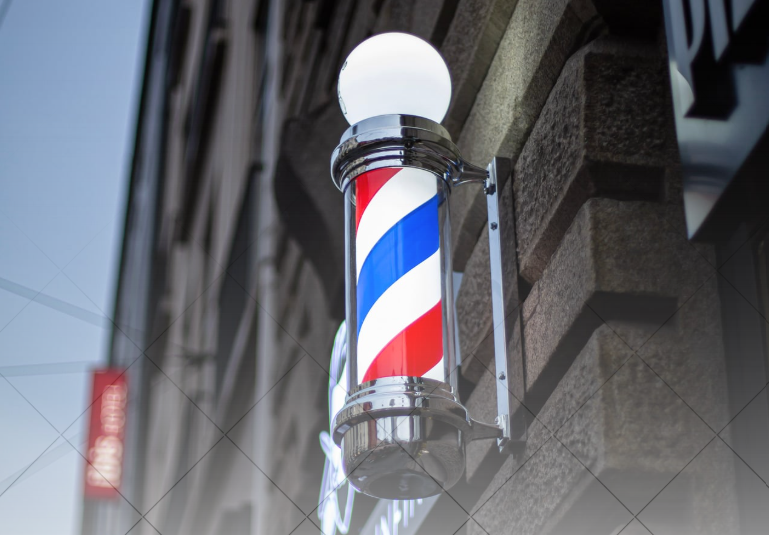
How you take payments should line up with where and how you work. Some barbers only take payments in the shop, others offer in-home cuts and some accept payments online when clients book ahead. The right setup depends on what your shop already does.
Accept payments anywhere with fully mobile terminals
If you offer in-home haircuts or off-site services, you need a way to take payments on the spot. Fully mobile terminals like Moneris Go Terminal let you accept card, tap and digital wallet payments wherever you’re working. Payments stay connected to your business, not your personal phone.
This setup works well when you want one device that handles payments reliably both in the shop and on the road. Checkout works the same way everywhere, whichkeeps things consistent for clients.
Use Tap to Pay on your phone for lightweight setups
For barbers who work independently and prefer not to carry extra hardware, Tap to Pay on iPhone or Tap to Pay on Android can be a simple option. It allows you to accept contactless payments directly from your phone during in-home visits or mobile appointments.
This approach keeps things minimal when one person is handling both the cut and the payment. Clients tap, the payment is completed and you can move on without extra equipment.
Support online payments through your website or booking system
Some barbers accept payments online for bookings, deposits, gift cards or prepaid services. If you already have a website or booking tool, Moneris Gateway lets you add payment processing without changing how your site works. Taking payments online helps reduce the number of no-shows, as you can request that appointments be paid for in advance.
This option fits shops that want to take payments online while keeping in-person checkout simple. Payments stay connected across channels, giving you flexibility without adding complexity to day-to-day operations.
If you’re looking to introduce online booking to your barbershop business, Moneris Online combines the power of Moneris payments and the Wix website builder, and offers a slew of essential ecommerce features like appointment bookings.

Barbershops rely on payments being handled quickly so you can move on to the next appointment without breaking your rhythm. Between walk-ins, booked cuts and tips, checkout needs to work the same way every time, even during the busiest parts of the day. And when questions come up, it helps to know support is available.
Moneris offers 24/7 bilingual support for barbershop owners and staff who need help with payments. That support helps keep checkout consistent across terminals and devices, so payments stay in the background and your team can focus on cutting hair, serving clients and keeping the shop moving.
That makes daily reviews quicker. You can check how busy the shop was, spot patterns and stay organized without extra work. When payments are easy to review, managing money feels more straightforward.
Good payment tools show tip options clearly at checkout. Clients can choose an amount right away, without needing an explanation. That keeps things moving and avoids uncomfortable conversations.
Tips are also tracked automatically. They show up with the rest of the payment activity, which makes it easier to review totals at the end of the day. Everything stays clear and consistent.
Yes. During busy walk-in times, speed matters. Payment tools that process transactions quickly help keep the line moving and reduce crowding at the counter.
Using the same checkout process for every client also helps staff stay focused. There’s less thinking involved and fewer mistakes. That predictability makes busy periods easier to manage.

Growth Strategies, Retail
A practical guide for small retailers on stock control, reorder points, carrying cost, shrinkage and the role of a POS inventory management system.
Growth Strategies, Small Business
Canadian small businesses are winning on TikTok. Learn what to post, how often, how to get found in TikTok search and why TikTok Shop is not here yet.

Growth Strategies, Small Business Month
Accessibility requirements Canadian storefronts and websites need to meet
This guide explains AODA compliance, Ontario storefront rules, website accessibility duties and checkout accessibility steps for Canadian small businesses.

Growth Strategies, Small Business, Small Business Month
Plan a Small Business Month campaign with 8 shop local ideas, from gift card bonuses and loyalty offers to events and customer spotlights.