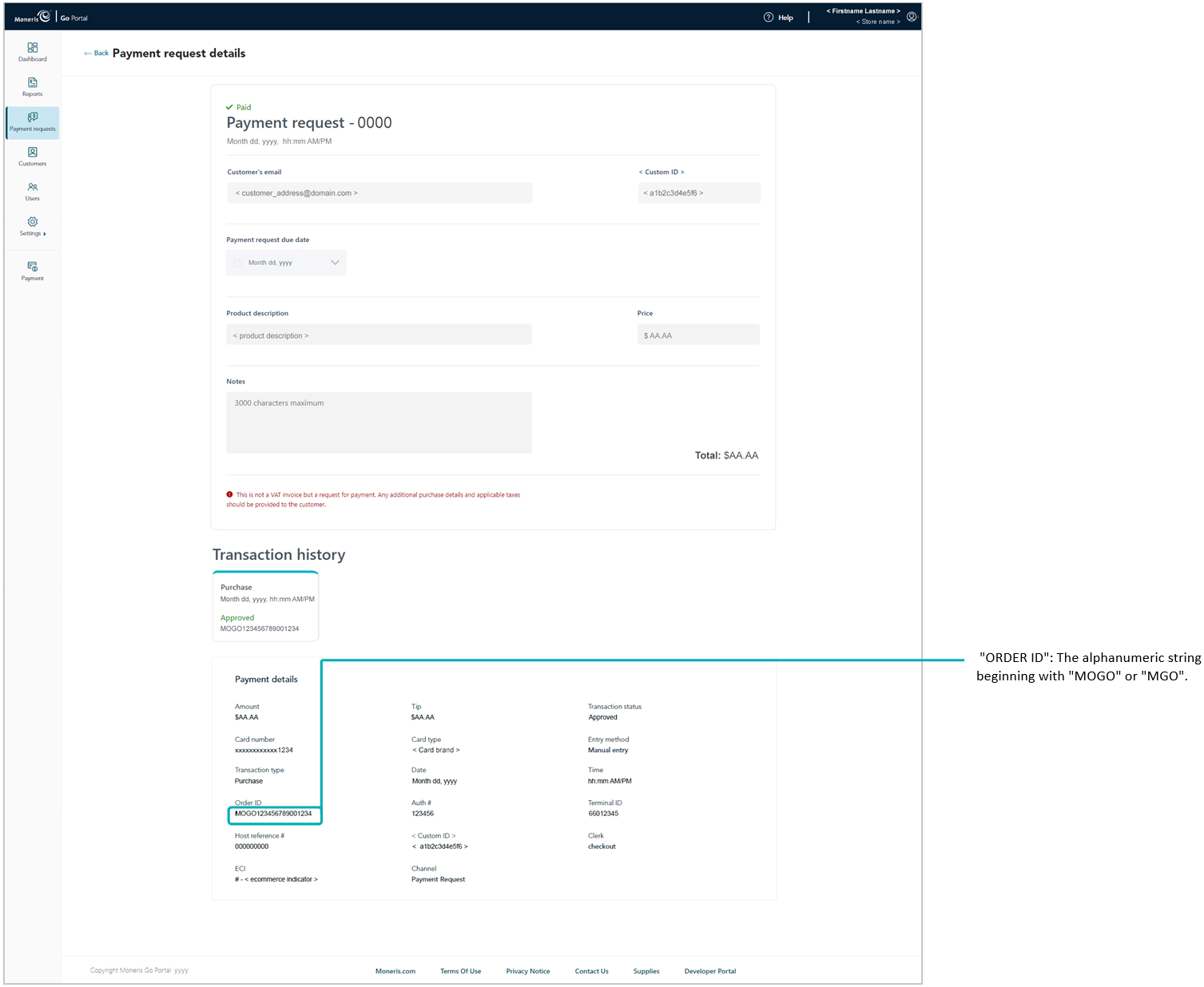
When a customer completes a payment on a payment request, the payment request's status changes to "Paid" while the payment is logged as a credit Purchase in your store's financial transactions report. If you access the Purchase record, you can view additional transaction details, send a transaction receipt to the customer, and perform a follow-on Refund or Void transaction if required.
The steps below describe how to cross-reference a "Paid" payment request with its Purchase record:
Retrieve the desired "Paid" payment request record (see Payment requests report), and click on it to open its "Payment request details" page (shown below).
Go to the "Payment details" module, and copy the "Order ID" (shown above) to your clipboard.
Note: Payment details older than 13 months will not be displayed here. To access the payment details for a Purchase that is older than 13 months, please access Merchant Direct.
Initiate a financial transactions report, and use the order ID as your search filter to retrieve the corresponding Purchase transaction (see Financial transactions report).