 icon in the search bar (shown below).
If you are attempting to locate a specific user account that you want to configure (e.g., to modify, deactivate, or reactivate), follow the steps below to employ filters to narrow the scope of your search and retrieve the desired user account. Search filters include user role, status, and access type.
Start on the "Users" page:
See Modifying an active user account.
See Deactivating a user account.
See Reactivating a user account.
On the "Users" page, click on the Filter icon in the search bar (shown below).

When the "Filter users" window displays (shown below), click on one or more of the desired filter drop-downs (Role, Status, and/or Access).
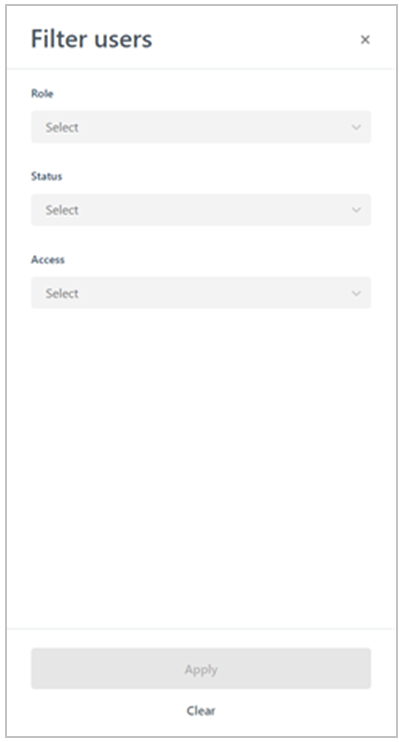
Click on the Apply button.
When the desired user account is retrieved, do one of the following:
If you are modifying an active user account, continue at step 3 (Modifying an active user account).
If you are deactivating an active user account, continue at 3 (Deactivating a user account)
If you are reactivating an inactive user account, continue at step 3 (Reactivating a user account).